Currents Now Syncs the Suunto Ocean, Nautic, and Nautic S
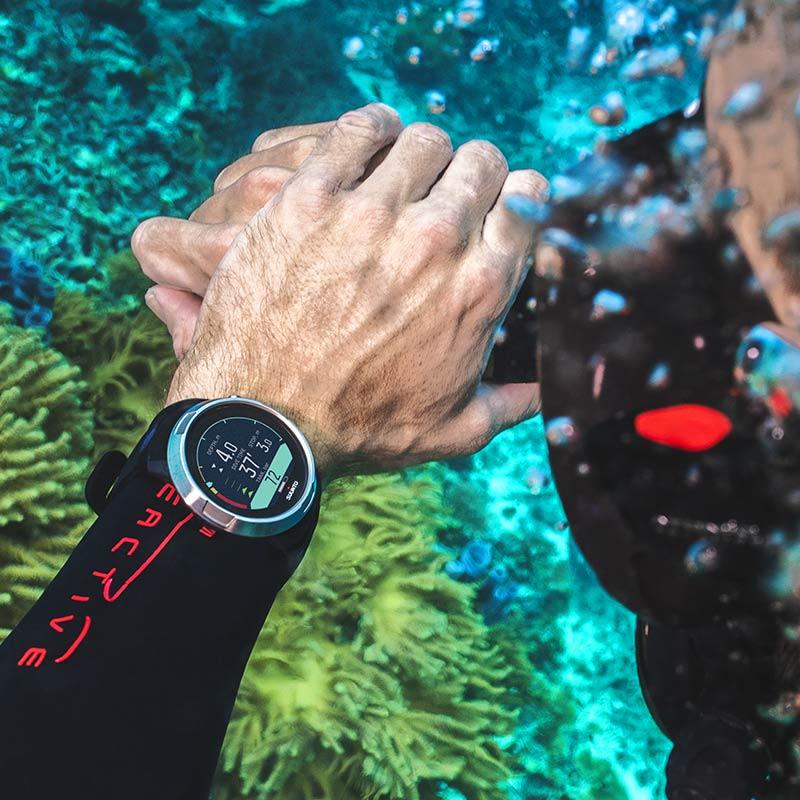
Currents can now pull dives straight off the Suunto Ocean, the Suunto Nautic, and the Nautic S over Bluetooth. No cable, no desktop app, no exporting a file and re-importing it somewhere else. You dive, you open your phone, the dive shows up.
I want to be precise about what "support" means here, because I spent most of August decoding these watches byte by byte and I know exactly where the edges are. This post covers what comes across, how to sync, and the one thing about how these Suunto computers store dives that will trip you up if nobody tells you.
What comes across
When you sync a Suunto Ocean, Nautic, or Nautic S, Currents downloads the full dive profile, not just a summary line. For each dive you get:
- Max depth and the full depth-over-time curve
- Dive time, water temperature, and the timestamp in UTC
- The gradient factors your watch was set to, plus its NDL, TTS, and ceiling readings
- Your primary gas mix
- GPS surface position where the watch recorded it
- Tank pressure, if you dive with a Suunto Tank POD transmitter
That last one took the most work. On the Nautic S the tank pressure sits at byte offset 44 in the record, and on a dive with two transmitters the secondary tank lands at offset 48. I validated it against a real sidemount dive: tank 0 dropped from 170 to 116 bar, tank 1 from 158 to 132, and both matched the numbers the official Suunto app exported for the same dive. On a single-transmitter Nautic I watched a POD read 217 bar down to 81 and line up exactly.
The Ocean decodes the same way. One test dive came across at 33.12 m max depth, 1,922 seconds of runtime, and 24 discrete events, all cross-checked against the JSON the Suunto app spat out for the identical dive.
What doesn't come across yet
I would rather tell you the gaps than let you find them mid-trip.
Gas switches. If you switch to a second mix during a dive, Currents currently reads only your primary gas. Decoding the switch itself needs a capture from a dive that changed mixes partway through, and I don't have one yet. If you dive multi-gas on an Ocean, get in touch and send me a log.
Tank size. The cylinder volume is in the dive record, but the units (litres vs cubic feet) aren't confirmed, so I'm not showing a number I can't stand behind rather than guessing and getting your SAC rate wrong.
The dive track. The Ocean and Nautic log raw 10 Hz motion data and the Suunto app dead-reckons a swim path from it after the fact. That reconstructed X/Y/Z track isn't in the dive binary the watch hands over Bluetooth, so Currents can't draw the map. The depth profile is all there; the horizontal track is not.
How to sync your Suunto Ocean or Nautic to Currents
The flow is the same for all three models:
- Finish your dive and let the watch surface-lock. Keep Bluetooth on.
- Open Currents and go to add a dive computer.
- Pick Suunto and start a scan. Your watch shows up by name.
- Connect and download. Currents fingerprints each dive, so a second sync only pulls what's new.
The whole handshake is read-only. Currents fetches dives and nothing else. It can't write to your watch, change a setting, or delete a log, by design.
The ring buffer catch, sync soon after you dive
This is the part most people don't know about these watches, and it's the reason to sync often.
The Ocean and Nautic keep dives in a fixed-size ring buffer, and they only serve the most recent buffered dives over Bluetooth. Older dives get overwritten as you keep diving. I confirmed this the tedious way: I captured the official Suunto app talking to a Nautic that had 34 dives on it, read the Bluetooth trace, and the watch handed over only the 7 most recent. That isn't a Currents limit or a Suunto app limit. It's how the hardware stores things.
So the rule is simple. Sync after every day of diving, or at least before the buffer fills. Once a dive rolls off the watch, no app can pull it back over Bluetooth, mine included. If you're on a liveaboard doing four dives a day, sync at lunch and again at night.
Why use a dive log app instead of the Suunto app
The Suunto Ocean app is fine for what it is. It handles firmware updates, it draws that dead-reckoned dive track I can't replicate, and if you live entirely inside Suunto's world it does the job.
Where a dedicated dive log app earns its place is everything around the dive. Currents keeps one logbook no matter what you dived. My Ocean dives, my old Shearwater Peregrine dives, and the manual entries from a rental Aqualung on a trip all sit in the same timeline, searchable, with photos and site notes attached. Switching computers doesn't fork your history into two apps.
And your data stays yours. Currents exports clean UDDF, so a Suunto dive you logged today isn't trapped in one vendor's format three years from now. If a better dive log app comes along, or if you go back to reading this and decide Currents isn't for you, you can take everything with you. That is the whole reason I care about export, and it's the one promise most scuba dive log apps quietly break.
If you're comparing dive log apps for iPhone or iOS more broadly, I wrote a longer comparison of every dive log app worth knowing about. This post is narrower: it's about getting your Suunto Ocean, Nautic, or Nautic S talking to Currents.
A note on how this got built
Suunto doesn't publish the Bluetooth protocol for these watches, so adding support meant reverse-engineering it. The extended-status record turned out to be variable length, 141 or 195 bytes depending on firmware, which broke my first parser badly (it assumed 195 and choked on every 141-byte Ocean). Dive time had to be summed from the DiveState records rather than read from the field that looked like it held it. Early builds even showed gradient factors inverted until I caught it against the app's own export.
All of that decoding lives in libdc-swift, the open-source library Currents uses to talk to dive computers, so anyone building for these watches can use it too. If you own a Suunto Ocean, Nautic, or Nautic S and something looks off after you sync, email me a note and the dive. Every capture from real hardware makes the next diver's sync a little more correct.