Best Dive Log Apps and Scuba Logbooks in 2026, All 12 Compared
Dive Log Apps and Scuba Logbooks Compared: All 12 for 2026
A disclosure before anything else: I build Currents, one of the twelve apps below. I'm not a neutral third party. Every section below, including my own app's, names specific tradeoffs you could screenshot. Judge for yourself whether that holds up.
Whether you call it a dive log app, a scuba logbook, or just a scuba app doesn't change what you need from it: something that pulls your dive computer's data off the computer accurately, keeps it in a format you can move to another app later, and won't disappear in five years. That's the test for everything below, twelve apps, not the two or three that usually show up in these lists.
Why Keep a Dive Log at All
Beyond certification requirements (most agencies want proof of logged dives for advanced training), a log is the only record you'll have of which gear configurations worked, which sites are worth a repeat visit, and whether your air consumption is improving or you just think it is. Paper logs still do this fine. Digital ones do it with less manual math and a search function once you have fifty-plus dives logged.
Digital vs. Paper
Paper is simple, doesn't need charging, and some divers prefer the stamps-and-signatures ritual. Digital apps add automatic depth/time/SAC-rate calculations, searchable history, and backup that doesn't depend on one physical notebook surviving. Neither is objectively correct. Plenty of experienced divers run both: paper for the ritual of dive shop stamps, an app for the data underneath it.
Every Dive Log App and Scuba Logbook We Could Verify
Most "best dive log app" lists cover two or three options, usually whichever the list's author happens to use plus PADI's app because everyone's forced through it once. Here are twelve, researched individually rather than assumed, with a source for every import and export claim.
PADI App
Price: Free
PADI on the App Store
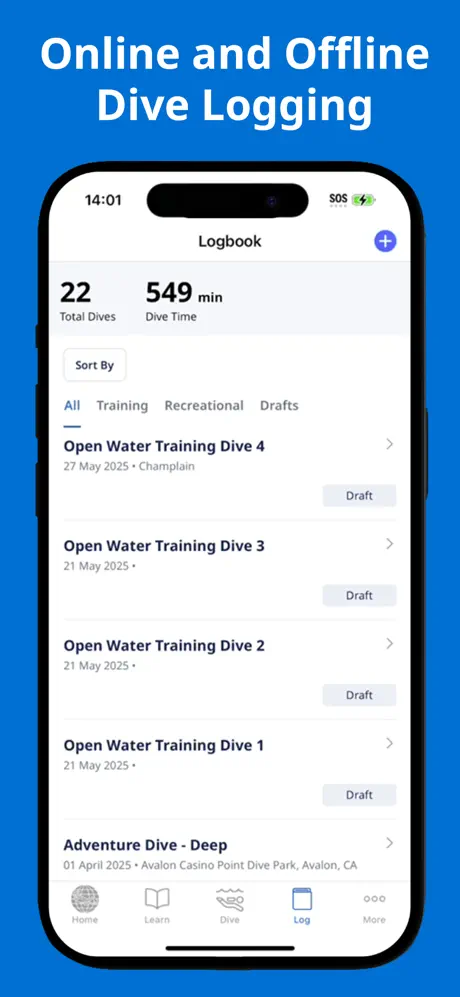
The PADI app's popularity stems primarily from necessity rather than features. Most PADI instructors require students to log their training dives through this app to meet certification requirements, which explains its widespread use in the diving community.
The app provides basic logging functionality and integrates with PADI's certification system, but that's about where its capabilities end. You can't import dive logs from computers or other apps, and the feature set is notably basic compared to other solutions. While it serves its purpose for certification documentation, active divers will quickly find themselves wanting more.
Those limitations compound with regular use: no way to import a dive computer's data, and a feature set that stays basic even as your logbook grows. If you're planning to dive regularly, you'll likely want to look at a more capable app once you've completed your certification requirements.
Subsurface
Price: Free (Open Source)
Subsurface-mobile on the App Store
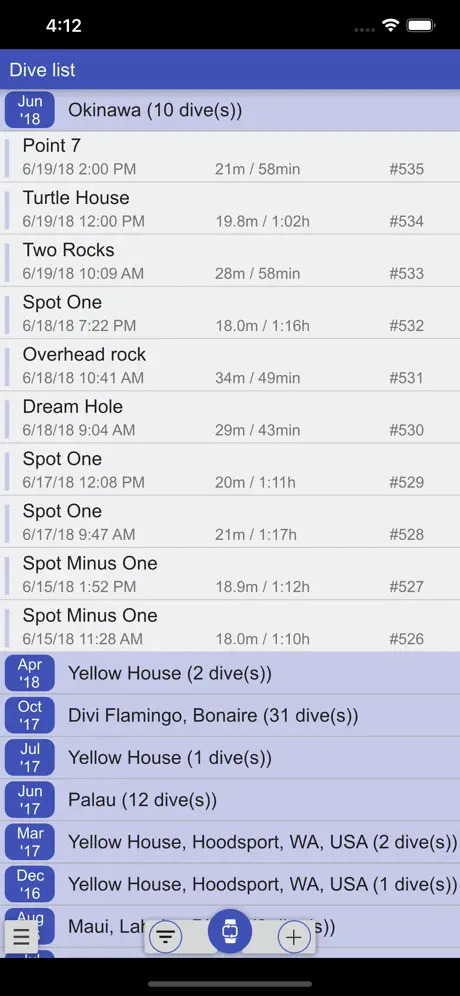
Subsurface has been a community favorite for years, and in 2026 it remains a powerful option, particularly for technical divers. One standout advantage is its true cross-platform support - it's one of the few dive logging solutions that runs natively on Windows, Mac, and Linux. This platform flexibility, combined with its extensive dive computer support and detailed data analysis capabilities, makes it an impressive package maintained by an active open-source community.
However, the interface hasn't seen significant modernization. The desktop version has a wide feature set and reliable performance across all three operating systems, but the mobile experience has notable limitations. You can't import UDDF or FIT files directly through the mobile app, that still requires the desktop version. Bluetooth connectivity can be inconsistent, sometimes requiring multiple attempts to sync devices.
Despite these quirks, Subsurface remains one of the most capable logging solutions available. The desktop application particularly shines with its extensive import options, detailed analysis tools, and robust data management. Being open-source, free, and available on virtually any desktop platform, it continues to serve as a reliable choice for divers who prioritize functionality and platform flexibility over interface polish.
Dive Log by Greg McLaughlin
Price: $14.99 (one-time purchase, plus a separate $2.99 in-app purchase per dive computer brand for direct Bluetooth import)
Dive Log on the App Store
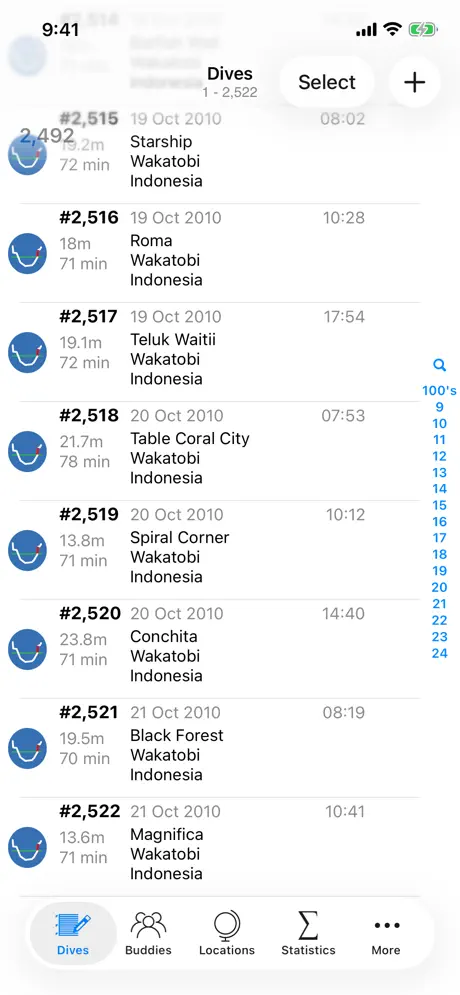
Dive Log is one of the oldest dive logging apps on iOS, and unlike some longtime competitors, it's still being actively developed - it picked up a full redesign for iOS 26's Liquid Glass, plus new dive profile and statistics tools, just weeks before this guide was published. That kind of active maintenance matters when you're trusting an app with years of dive history.
The app excels at the fundamentals: capture dive site details and GPS coordinates while they're fresh on the boat, pull dive profiles in via Bluetooth from a wide range of supported computers, and log buddies straight from your iPhone Contacts. On Windows, it syncs directly with Diving Log 6.0 for divers who split their time between desktop and mobile. It also reads UDDF, including files generated by the AWU2UDDF tool for Apple Watch Ultra dive data; whether it exports UDDF isn't documented anywhere in its own materials, so don't assume it does.
There's no social layer and no dive site database here - it's a focused, no-frills logbook rather than a community platform. But for divers who just want a reliable, long-lived home for their dive history without worrying about the app disappearing, that focus is the point.
Currents
Price: Free basic version, $2.99/month or $19.99/year for Pro, or $29.99 for lifetime access
Currents on the App Store
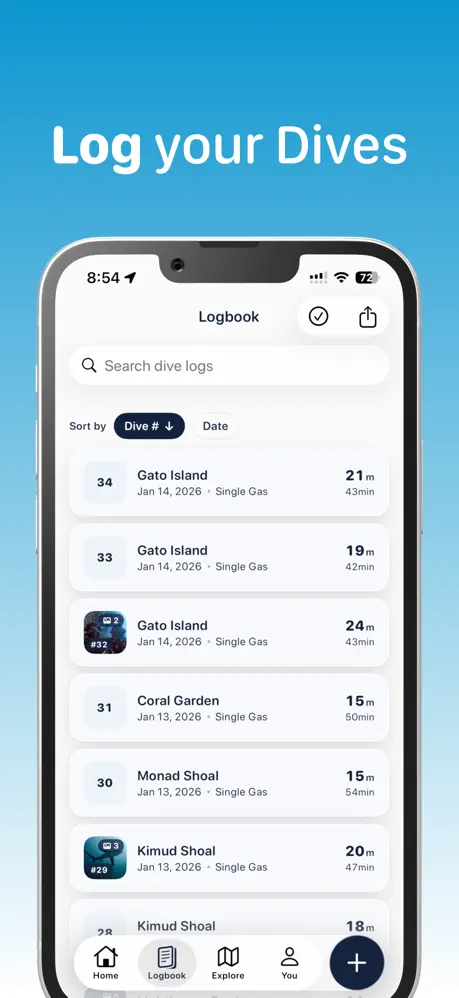
This is the app I build, so read the rest of this section with that in mind. What I built it for: a modern iOS interface, offline-first logging that still syncs a community/social layer when you're online, and Bluetooth sync from 15+ dive computer brands, alongside UDDF and FIT import, plus direct import of MacDive's XML export and Subsurface's SSRF files, so a log built somewhere else isn't locked out.
Where I'm behind the field: Currents is iOS-only, with no Android, Windows, or Linux app. If you need Subsurface's or Submersion's platform coverage, I don't have an answer for that. My supported dive computer list covers the popular brands over Bluetooth, but it's narrower than Subsurface's 200-plus. Both apps are built on the same engine, libdivecomputer, so that gap comes down to how each one connects. Subsurface reaches most of those computers over USB on a desktop, where the whole libdivecomputer catalog is reachable; Currents is Bluetooth-only on iPhone, and far fewer computers hand their data over Bluetooth at all. If you're diving something unusual or older, check my compatibility list before assuming I'll support it. And unlike Subsurface, Currents isn't free. The basic version covers manual logging and community features, but automatic sync, advanced stats, and export beyond UDDF sit behind Pro ($2.99/month, $19.99/year, or $29.99 lifetime).
The pitch is narrower than "best overall": if you want a modern interface with a social layer and don't mind paying for the automation, Currents is a strong fit. If platform coverage, device support breadth, or paying nothing matters more to you than interface polish, Subsurface or Submersion are the more capable tools.
Garmin Dive
Price: Free (works only with Garmin dive computers)
Garmin Dive on the App Store
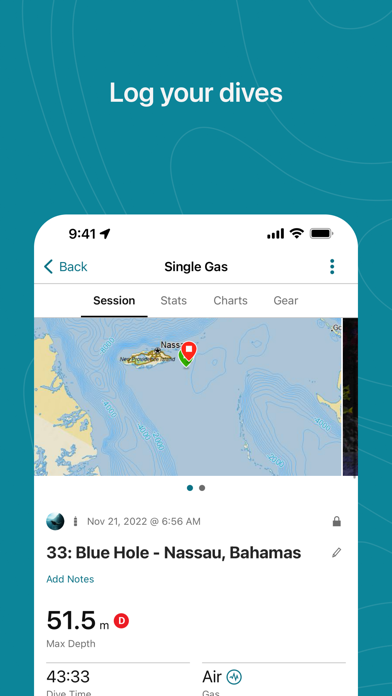
Garmin Dive stands out in 2026 for its data presentation and streamlined user experience. The app excels at presenting detailed dive information without overwhelming users, and the addition of gear logging and certification management (both shipped back in 2024) makes it a more complete solution.
The major limitation is its closed ecosystem. The app works exclusively with Garmin dive computers. You can manually log dives, but you can't import data from other manufacturers' devices or third-party apps, and there's no UDDF import or export. This restriction aside, Garmin Dive offers one of the most polished experiences for tracking and analyzing your diving activity.
MacDive
Price: $9.99 on iOS (one-time purchase; the Mac app is sold separately)
MacDive is a Mac and iOS logbook with a long-standing following, some of whom moved off paper specifically for it. It downloads dives directly over Bluetooth from a long list of "Smart" dive computers, including the Shearwater Perdix AI, Suunto D5, Scubapro G2, and Mares Genius, and both imports and exports UDDF, so a log built somewhere else isn't stuck there.
The developer has gone quiet enough over the last couple of years that divers opened a "Where is Nick?" thread on MacDive's own forum asking why the updates stopped, though the app itself still works and is still sold on the App Store. That's not a reason to panic-migrate if you're already on it, but it's worth exporting a UDDF backup now rather than waiting for a reason to.
Diving Log
Price: €39 one-time for the Windows desktop version (Android is free with a Windows license; iOS is a separate third-party app)
Diving Log is Windows desktop software first, not a mobile app with a Windows afterthought, and that's exactly why divers who've used it for a decade or more stick with it. It has a direct downloader for a long list of dive computers, plus import support for older logbook formats other apps have long since dropped, including Uwatec DataTrak and SmartTrak, Suunto Dive Manager, Mares Iris and DCDS, Oceanic, and ReefNet. UDDF import and export both target the current UDDF spec, 3.2.2, alongside UDCF and DAN's DL7 format.
The tradeoff is platform. This is a Windows program at heart: the Android app only comes free bundled with a paid Windows license, and iOS support is handled by a separate third-party app rather than something Diving Log built itself.
DiverLog+
Price: Free download (companion app for Aqualung, Apeks, Oceanic, and Sherwood dive computers)
DiverLog+ is the official companion app for Aqualung, Apeks, Oceanic, and Sherwood dive computers. Those brands have different owners in 2026 (Aqualung is now part of the HEAD group, Oceanic belongs to Huish Outdoors, Sherwood to Cramer-Decker), but their computers share the same OEM electronics from Pelagic Pressure Systems, which is why one app talks to all of them. It covers models like the i200C, i300C, i330R, i470TC, i550C, i750TC, i770R, GEO 4.0, GEO Air, ProPlus 4.0, ProPlus X, Sage, Veo 4.0, Wisdom 4.0, Beacon, Calm-Act, and DSX. It downloads over Bluetooth Smart and can push firmware updates and settings back to the computer, which none of the third-party apps on this list can do.
Where it falls short is export. DiverLog+'s own FAQ lists exactly two export formats, DAN's DL7 (.zxu) and its own DLG logbook file, no UDDF. Divers who want their DiverLog+ history somewhere else typically import that DL7 export straight into Subsurface, which reads it natively, rather than expecting DiverLog+ to hand over an open format on its own.
Dive+
Price: Free download, with an optional paid VIP tier
Dive+ reads closer to a social network with a dive log attached than a logbook with social features bolted on. The pitch is automatic logging plus underwater photo color correction (pulling the blue cast out of GoPro-style footage) and a feed of other divers' trips and dive sites from 200+ countries, per the developer.
What it doesn't do, as far as I could find documented anywhere in its own materials, is talk to a dive computer over Bluetooth or export UDDF. If getting accurate depth and time data off a specific dive computer is the point for you, this isn't that app. If the social feed and manual logging are enough, it might be.
Seabook
Price: Free download, with in-app purchases ($1.99 to $33)
Seabook's own store listing bills it first as a fish identifier, "Seabook: Fish Identifier & Log," and the dive log is the second half of that name, not the first. It's on both iOS and Android, and it lists a "Dive Computer Sync" feature for pulling dives in automatically.
I couldn't find which dive computer brands that sync supports, or whether it exports UDDF, documented anywhere in the app's own materials or its App Store listing. That's less a knock on the app than a data point: if dive computer compatibility is what your decision hinges on, this is one to test with your specific model before trusting it with your logbook, since there's no published compatibility list to check against first.
DIVEROUT
Price: Free download, with paid tiers (Mobile+ from $2.99/month; Apple ecosystem only)
DIVEROUT is newer and built for Apple's ecosystem specifically: iPhone, Apple Watch, Mac, and Vision Pro, with no Android or Windows version. It imports from a wide spread of dive computer brands, including Garmin, Suunto, Shearwater, Mares, Aqualung, Oceanic, Atmos, and Crest, and can also read exports from Subsurface, DiveLogs.de, SSI, and PADI, then exports back out to open UDDF.
That Apple-only scope is the tradeoff for how new the app is. If you're already all-in on Apple hardware, Vision Pro included, it's one of the only options on this list built for that from day one rather than ported to it later.
Submersion
Price: Free, open source (GPL-3.0)
Submersion is the newest app on this list, and the only one that matches Subsurface's combination of free, open-source, and cross-platform: iOS, Android, macOS, Windows, and Linux from one codebase. It's built on libdivecomputer, the same library Subsurface uses, so it claims support for 350+ dive computers across 37 manufacturers over USB or Bluetooth; as a newer project, that list is still being confirmed model by model, with the Shearwater Teric and Aqualung's i300C and i330R the ones confirmed working so far.
UDDF import and export are both native at version 3.2, alongside CSV, Excel, PDF, and KML for Google Earth, and a universal import wizard that reads exports from Subsurface, MacDive, Diving Log, and DiveMate directly. There's no account and no cloud dependency; data lives in local SQLite that you sync yourself. If Subsurface's interface is the reason you haven't switched, and you don't need its twenty-year track record yet, Submersion is worth watching.
Dive Computer Import and UDDF Export, Compared
This is the table none of the other "best dive log app" roundups seem to have checked. Every claim here is sourced from the developer's own site, App Store listing, or documented user reports, not assumed from a feature list.
Before you read the import column, one mechanical detail explains most of it: several of these apps talk to dive computers through the same open-source engine, libdivecomputer. Subsurface, Submersion, Currents, MacDive, and Dive Log all build on it. So "which app supports more computers" comes down to two things, mostly. First, whether the app connects over USB (on a desktop, where the full libdivecomputer catalog is reachable) or Bluetooth (on a phone, where far fewer computers expose their data). Second, how many of those models the app has wired up and tested. Garmin, DiverLog+, and Diving Log use their own downloaders instead.
| App | Imports from a dive computer | Reads UDDF | Exports UDDF | Platforms | Price |
|---|---|---|---|---|---|
| PADI App | No | No | No | iOS, Android | Free |
| Subsurface | Yes, 200+ computers, dozens of brands (mostly USB, desktop) | Yes | Yes | Windows, Mac, Linux, iOS, Android¹ | Free |
| Dive Log (McLaughlin) | Yes, Bluetooth, per-brand add-on | Yes | Not published | iOS | $14.99 + $2.99/brand |
| Currents | Yes, 15+ brands via Bluetooth | Yes, plus MacDive XML and Subsurface SSRF | Yes | iOS | Free / $2.99/mo / $19.99/yr / $29.99 lifetime |
| Garmin Dive | Yes, Garmin only | No | No | iOS, Android | Free (with hardware) |
| MacDive | Yes, many Smart computers | Yes | Yes | macOS, iOS | $9.99 |
| Diving Log | Yes, plus legacy manufacturer software | Yes | Yes | Windows, Android², iOS³ | €39 |
| DiverLog+ | Yes, Aqualung/Apeks/Oceanic/Sherwood | No | No (DL7/DLG only) | iOS, Android | Free |
| Dive+ | Not found in developer materials | Not found | Not found | iOS, Android | Free + VIP tier |
| Seabook | Yes, brands not published | Not published | Not published | iOS, Android | Free + IAP ($1.99–$33) |
| DIVEROUT | Yes, Garmin/Suunto/Shearwater/Mares/Aqualung/Oceanic/Atmos/Crest | Yes, plus Subsurface/DiveLogs/SSI/PADI | Yes | iOS, watchOS, macOS, visionOS | Free + Mobile+ $2.99/mo |
| Submersion | Yes, 350+ computers via libdivecomputer | Yes | Yes | iOS, Android, macOS, Windows, Linux | Free, open source |
¹ Subsurface's mobile apps can't import UDDF or FIT files directly; that still requires the desktop version.
² Diving Log's Android app is free only with a paid Windows license.
³ Diving Log's iOS support is a separate third-party app, not built by Diving Log itself.
Six of these twelve don't import from a dive computer at all, or don't say which ones they support. If a "best dive apps" list doesn't mention that, it probably didn't check.
Choosing a Diving App or Scuba Logbook
PADI's app is close to mandatory during certification, and worth dropping the moment you're certified. The lack of import options is the dealbreaker for anyone logging more than a handful of dives.
Past that, it depends on what you're optimizing for, not a single "best" answer:
- You want the most platform coverage and the most dive computers supported, for free, forever: Subsurface, with its twenty-year track record, or Submersion if you'd rather have a newer interface and don't mind a shorter history. Nothing else here matches 200+ (or 350+) computers and native apps on every major desktop and mobile platform at zero cost.
- You want a dedicated, no-frills logbook with a one-time cost and no social layer: Dive Log on iOS, MacDive on Mac and iOS, or Diving Log if you live on Windows. All three have been actively maintained for years.
- You're already committed to Garmin, or to Aqualung/Oceanic/Sherwood hardware: Garmin Dive or DiverLog+ are well-built within those ecosystems and not useful outside them.
- You're deep in the Apple ecosystem, Vision Pro included: DIVEROUT is one of the only options built for that specifically.
- You want a modern interface and a social/community layer alongside the logbook, and don't mind paying for automation: this is the case I built Currents for. It's the narrowest recommendation on this list, not the default one.
- Fish identification matters more to you than dive computer import: Seabook solves a different problem than this list is about; worth knowing before you download it expecting a logbook.
Regardless of which you pick, what matters is whether you can get your data back out in a format another app can read. Check UDDF or CSV export before you commit, not after, using the table above rather than the app's marketing copy.
The Bottom Line
There isn't a single best dive logging app in 2026. There's a best app for what you specifically need, and the twelve above split that space in different directions rather than competing head-on. Subsurface and Submersion win on cost and coverage. Dive Log, MacDive, and Diving Log win on focus. Garmin and DiverLog+ win if you're already in those ecosystems. DIVEROUT wins if you're all-in on Apple. I think Currents wins on interface and community, for the divers who want that. Pick based on which tradeoff you mind least, and check the import/export table above against your specific dive computer before you pay for anything.
A note about data security: I often hear concerns, particularly from experienced divers, about digital logs being "less secure" than physical logbooks. All forms of data storage carry risks. Paper logbooks can be lost, damaged by water, or destroyed in accidents. Digital data can face technical issues or service discontinuation. What matters is making sure whatever you use can export, not picking the one storage method that never fails, because none of them are that.
The advantage of modern diving apps is that they typically offer multiple backup options. Look for solutions that:
- Allow data export in standard formats (UDDF, CSV)
- Provide offline backup capabilities
- Sync across multiple devices
- Let you generate PDF copies of your logs
The best backup system in the world won't help if you never use it. Keeping both digital and physical copies of your most important dive records is a reasonable habit, since your logged dives are the only record you'll have of them ten years from now.