Dive Computer Buying Guide: What Matters and What Doesn't
Dive computer spec sheets are designed to make every feature sound like it matters. Some of them do. Most don't. Here's what's worth paying for, and what's marketing.
Start With How You Dive
Before comparing specs, be specific about what kind of diving you do and will realistically do in the next two to three years:
- Occasional warm-water recreational diver: you need reliability and simplicity far more than you need advanced features.
- Regular recreational diver (10+ dives/year): wireless sync and automatic logging start paying for themselves in convenience.
- Someone eyeing tech or deco diving eventually: buy a computer that supports multiple gases and deco algorithms now, since upgrading later means buying twice.
Most divers overbuy on depth rating and underbuy on the things they'll notice every single dive, like screen readability and battery management.
Features Worth Paying For
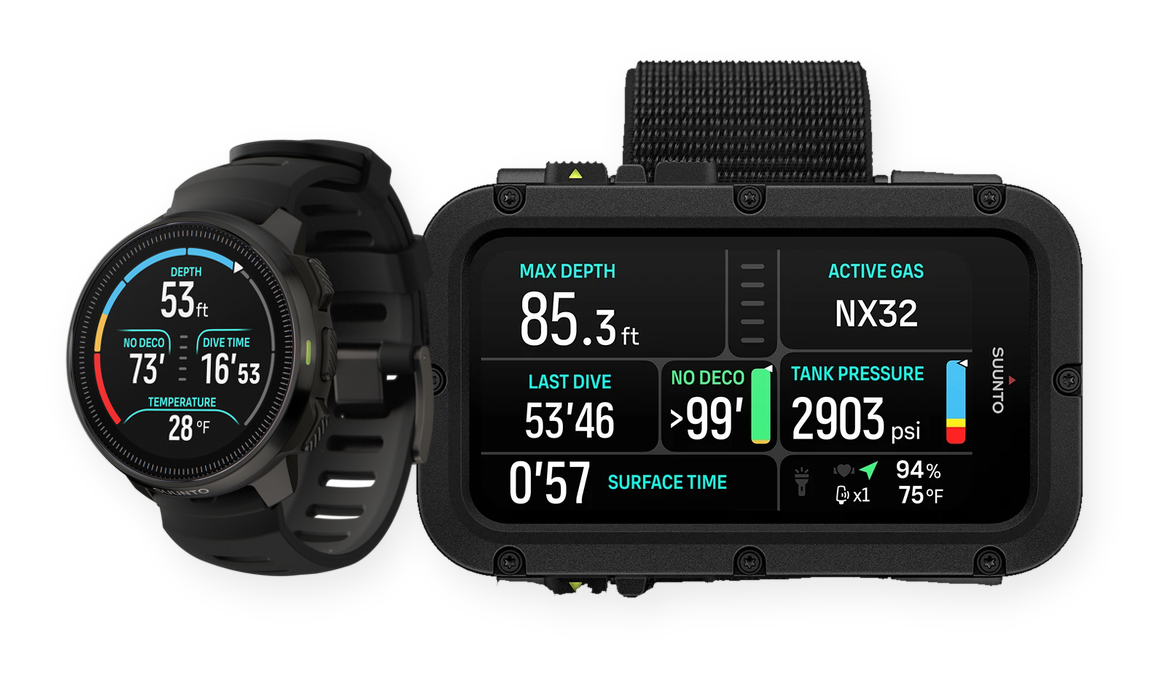
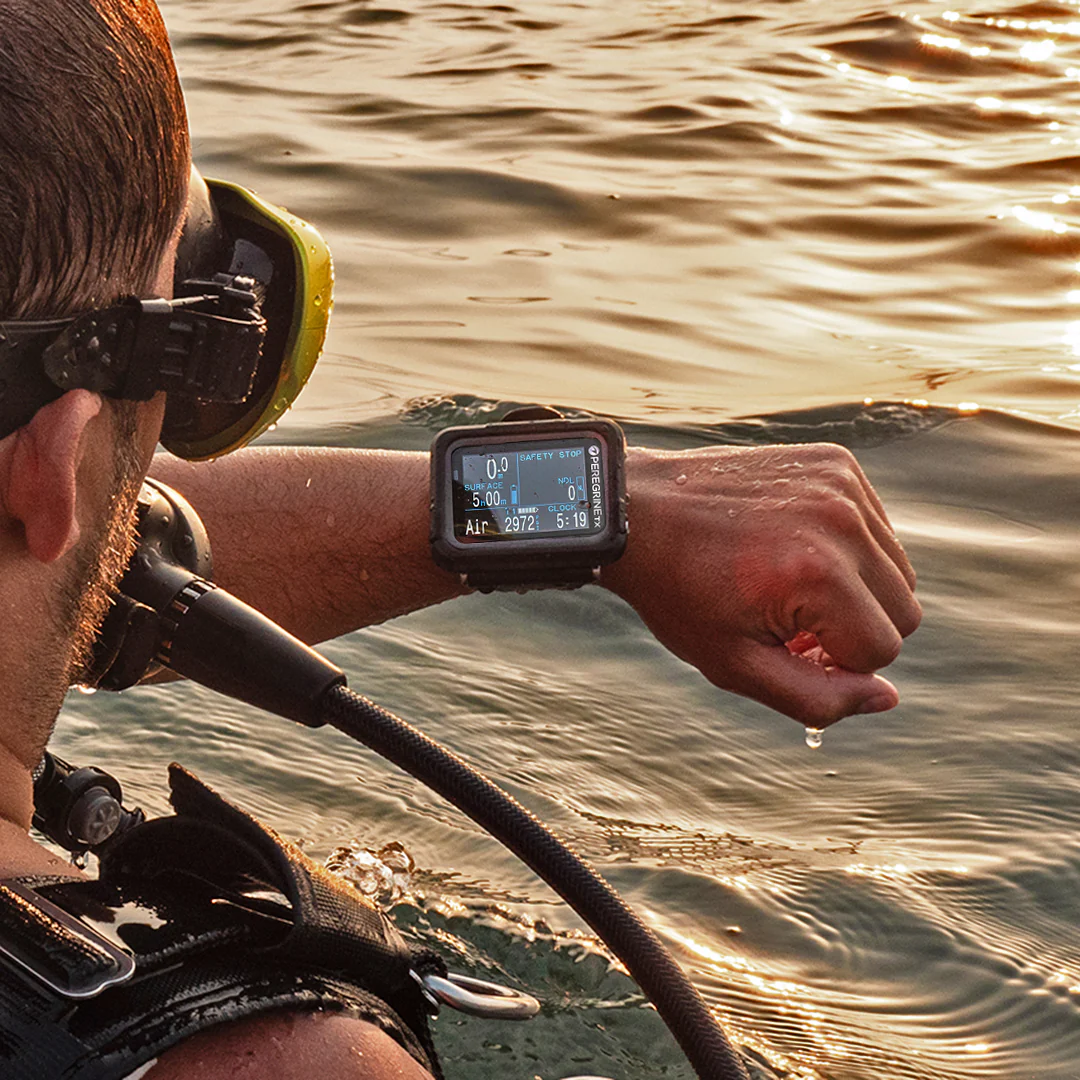
A display you can read at a glance, underwater. This matters more than almost anything else on the spec sheet. Test it, or at minimum look at real underwater photos of the screen, not marketing renders. Color screens look great in a dive shop under fluorescent lighting and can be hard to read in low-visibility green water. Monochrome high-contrast displays are often more legible in exactly the conditions where legibility matters most.
Wireless data transfer. Bluetooth sync to a phone app turns "review your dive log" from a once-a-month chore involving a cable into something you do on the boat between dives. If you're going to keep a logbook long-term, this is the single feature most likely to determine whether you do.
Air integration, if you dive with a computer-native transmitter. Having remaining gas time calculated and displayed alongside your no-decompression limit is a safety upgrade, not just convenience. It's most valuable for divers who dive solo, lead groups, or tend to lose track of their SPG.
A conservative-but-adjustable algorithm. Every major brand's algorithm (Bühlmann variants, RGBM, Suunto Fused) is safe when used within its limits. What matters more is whether you can adjust conservatism settings to match your dive style, and whether the computer clearly communicates your ascent rate and safety stop status, since ascent violations are a more common risk in practice than algorithm choice.
Battery approach that matches your travel style. Rechargeable is convenient until you're on a liveaboard without reliable power and your battery dies mid-trip. User-replaceable batteries are less elegant but mean you're never stuck. Decide based on how you travel, not which sounds more modern.
Features That Are Mostly Marketing
Extreme depth ratings. A recreational computer rated to 120m is not something the overwhelming majority of divers will ever need. It's a spec sheet number, not a practical differentiator, unless you're already planning technical training.
Smartwatch features. Step counting, notifications, and multi-sport modes are nice if you'd buy the watch anyway, but they add cost and battery drain without improving anything about your diving.
Extremely high frame-rate compass and turn-by-turn navigation. Useful in specific technical or cave contexts, mostly unused by recreational divers who end up navigating the same way they always did, by paying attention to their dive site briefing.
What to Look For in the Underlying Ecosystem
The computer itself is only half the decision. Also check:
- Which apps it syncs to, and whether you're locked into the manufacturer's own app or can export freely. See my UDDF vs proprietary formats breakdown for why this matters more than it seems at purchase time.
- Whether it appears on compatibility lists for third-party logbook apps you might want to use later. Check my device compatibility page before buying if you already know which app you want to log with.
- Firmware update history. A brand that's still shipping firmware updates for a five-year-old model is a good sign the company supports its hardware long-term.
Once you've got two or three models in mind, it helps to line them up on paper before deciding. Dive Gear Comparison puts dive computer specs, pros, and cons side by side, pulled from manufacturer documentation, which beats opening ten product pages in separate tabs.
Budget Tiers, Realistically
- Entry-level ($200-350): Reliable, basic display, usually no air integration or wireless sync. Perfectly safe, occasionally frustrating if you dive often.
- Mid-range ($350-600): This is where wireless sync and air integration start appearing. The best value tier for divers doing 10+ dives a year.
- Premium ($600+): Larger, higher-resolution displays, faster wireless transfer, multi-gas and tech-diving support. Worth it if you're diving frequently or planning to go deeper into the sport, overkill if you're not.
The Bottom Line
Buy for the dives you'll log this year, not the dives you imagine taking someday. Prioritize screen legibility and wireless sync over depth rating and smartwatch features, and check the export situation before you buy, not after you've got two years of dive logs trapped in a proprietary app. A computer that syncs cleanly to whatever logbook you end up using will matter more, over time, than almost anything else on the spec sheet.